


How to quickly and easily log in on a Smart TV
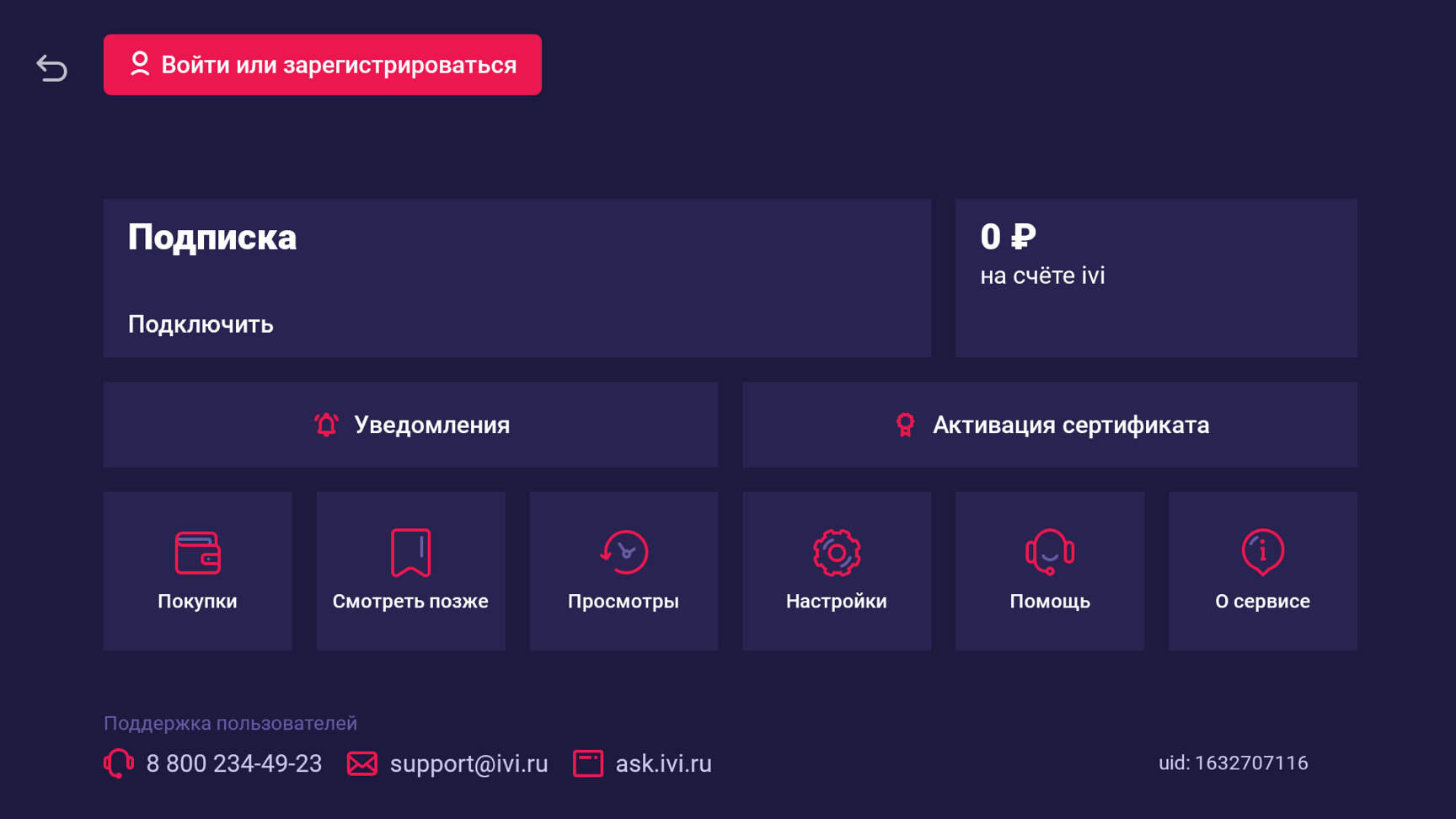
If you already have an account on ivi, we recommend using login by code. To do this, in the «profile» section select «Log in or sign up».
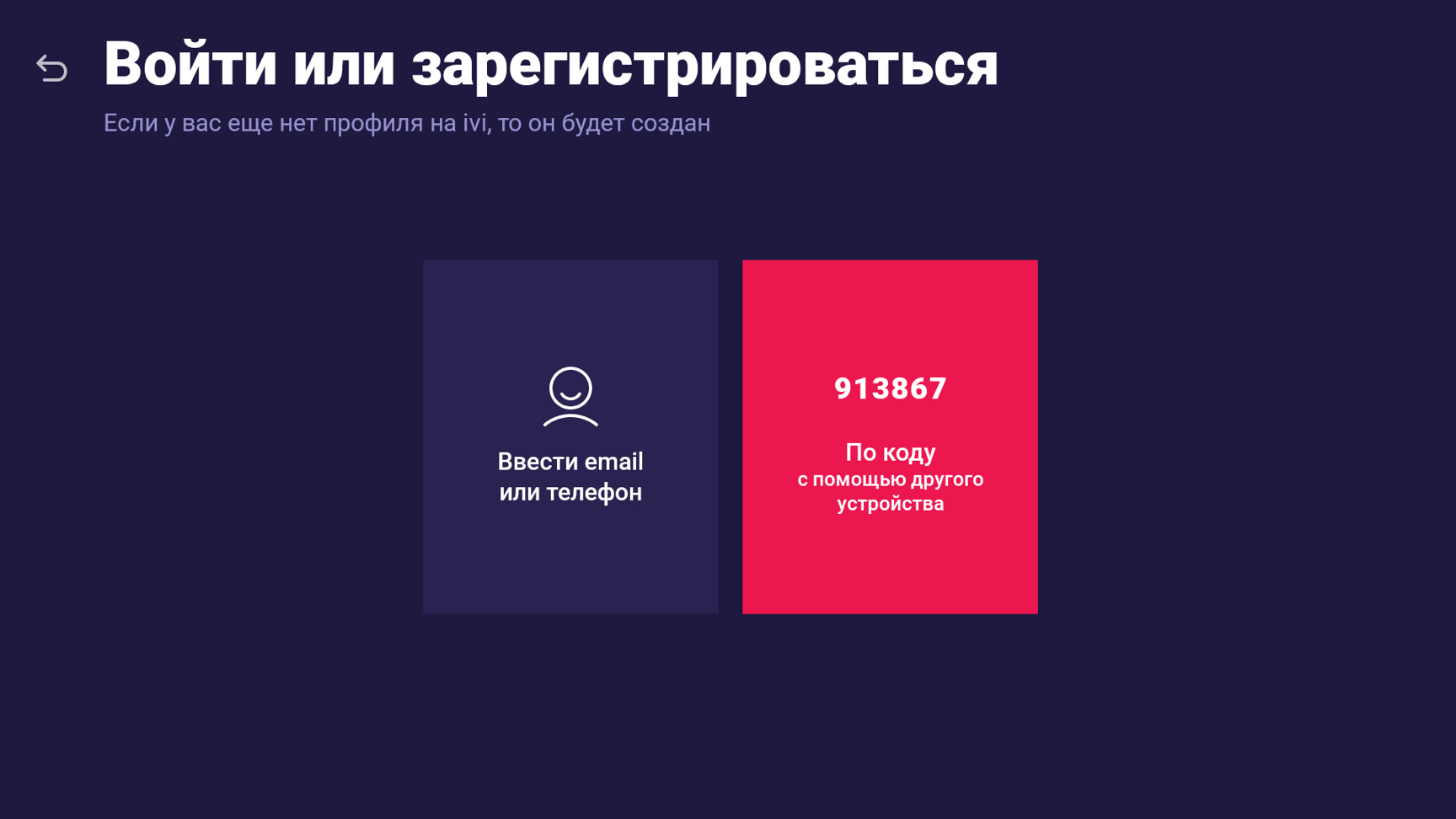
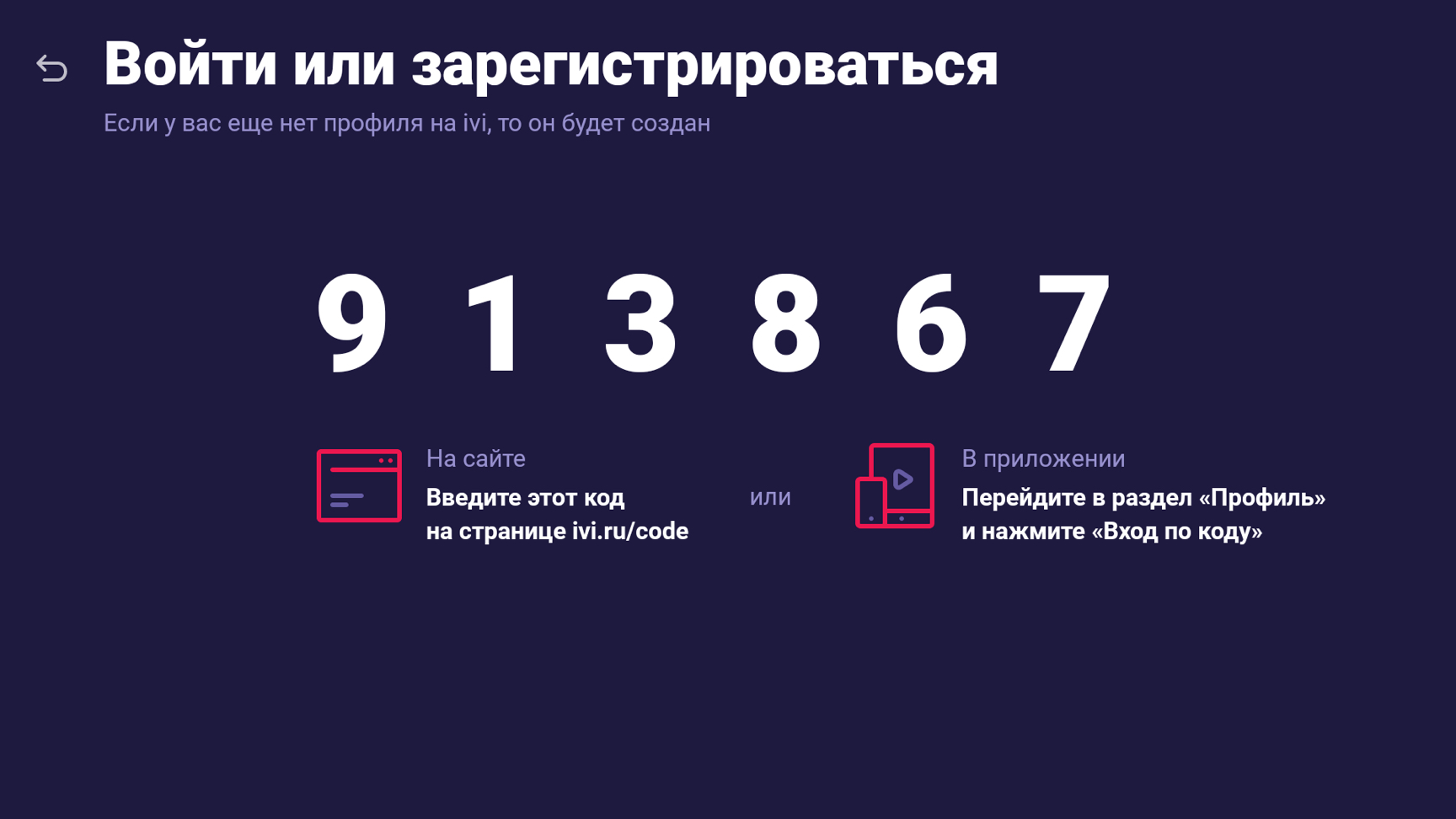
Select the Sign in with a code option. A unique 6-digit code will appear on your Smart TV screen.
Enter the code on the authorized device and confirm it. In a few seconds, the app on the Smart TV will sync with the other device and log you in under the same profile.


Frequently asked questions
- The movie I want to watch is not on ivi. Why?
- What is an ivi subscription and why is it needed?
- I have a subscription, but the movie I want to watch is paid. Why?
- What does registration provide?
- What features does ivi have?


Movies, series, TV shows and cartoons will become available to you in one click on LG Smart TVs.
Watch for free, purchase or rent an individual movie.
And by activating an ivi subscription, you will get even more opportunities. An ivi subscription provides access to a huge catalog of movies, series and much more without ads and in high quality.
Unlock the full potential of your Smart TV and get the most enjoyment from watching.