


How to launch the ivi app on your LG TV
Go to the main menu of your TV. Find the ivi online cinema app and launch it.
If ivi is not on the screen, go to the app store of your Smart TV, find ivi and install it.
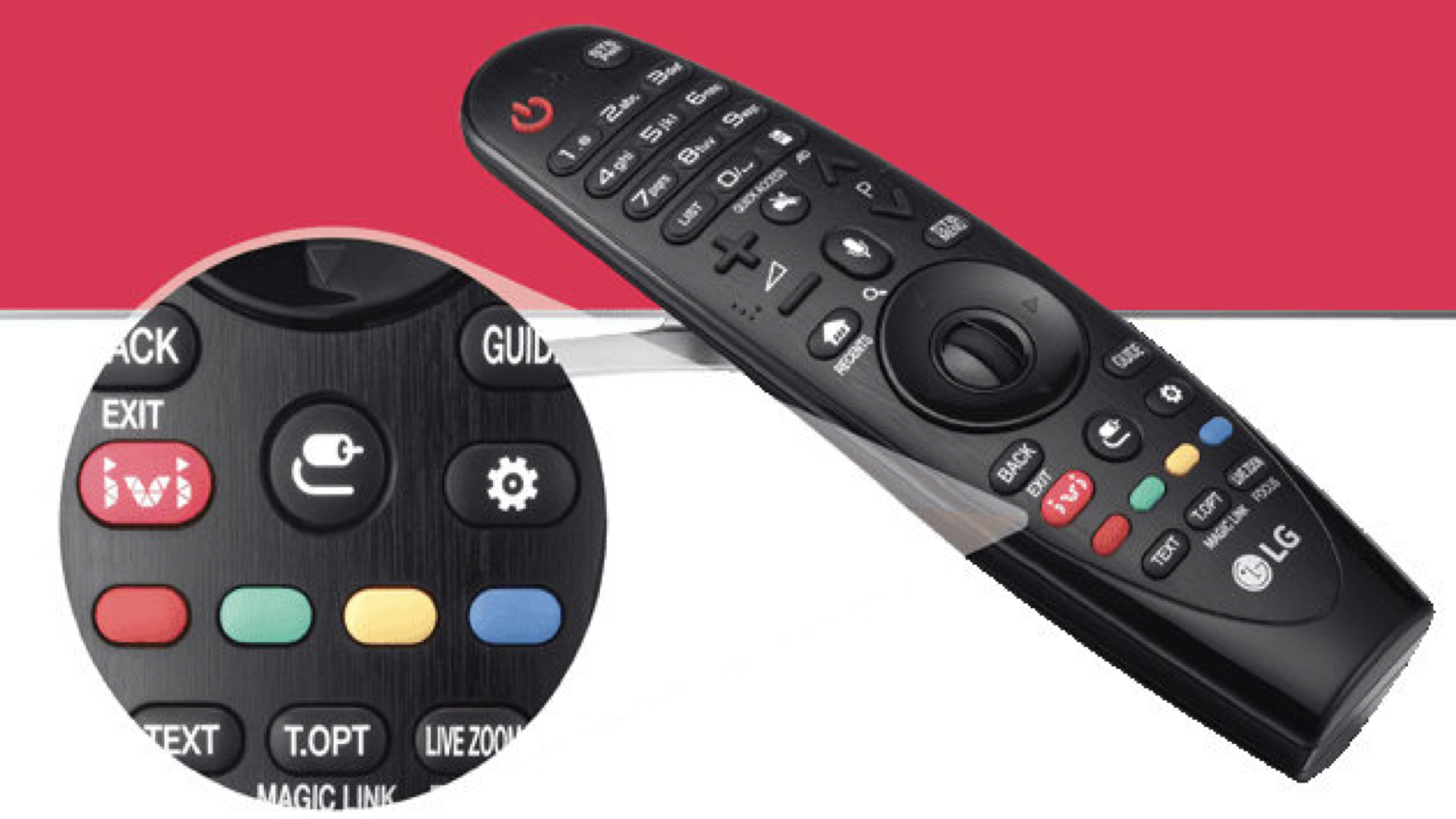
Some LG Smart TV models come with a remote control with a dedicated ivi button. Press the button, and the online cinema will launch instantly.


Frequently asked questions
- The movie I want to watch is not on ivi. Why?
- What is an ivi subscription and why is it needed?
- I have a subscription, but the movie I want to watch is paid. Why?
- What does registration provide?
- What features does ivi have?


Movies, series, TV shows and cartoons will become available to you in one click on LG Smart TVs.
Watch for free, purchase or rent an individual movie.
And by activating an ivi subscription, you will get even more opportunities. An ivi subscription provides access to a huge catalog of movies, series and much more without ads and in high quality.
Unlock the full potential of your Smart TV and get the most enjoyment from watching.